1 unstable release
| 0.1.0 | Feb 5, 2025 |
|---|
#29 in Rendering engine
2.5MB
8K
SLoC
Intro
Imagic is a thin rendering framework, implemented by Rust and WGPU.
For the moment, Imagic is at the startup stage, which supports only a few features:
- Materials
- PBR Material which supports both direct lighting and IBL (Image Based Lighting)
- Unlit Material
- Skybox Material
- Custom Materials or custom shader
- HDR textures
- Light
- Point Light
- IBL
- Multi cameras
- Render textures, both 2D and Cube
- Support two methods to generate mipmaps for a Cube Texture by compute shader.
- Bilinear Filtering
- Gaussian Filtering with 4x4 samples
- integrated UI framework powered by EGUI
To do list
Compete PBR with Imaged Based Lighting- Improve scene object management. Maybe ECS is a good candidate
- Solve flicker of rendering results when camera moves
- Improve user experience of compute shader
- Improve multi camera (clear color)
Now only the first camera's clear color is supported. I will fix this problem.
- More rendering feature and effects, for example:
- Directional light, spot light
- Shadows
- Transparent
- Water
- SSS (Sub-Surface Scattering)
- Image Processing
- Terrain generation
- Light Probes
- Physics
I have plan to make a game with Imagic, maybe physics system is necessary. I'd like to use third party physics crates.
Imagic has two repositories:
Supported platform
- Windows
- Linux
- MacOS
In theory, it will be easy to support Android, iOS and Web, thanks to Rust and WGPU. I will complete this some day.
Examples
You can watch these videos of these examples on Youtube or Bilibili.
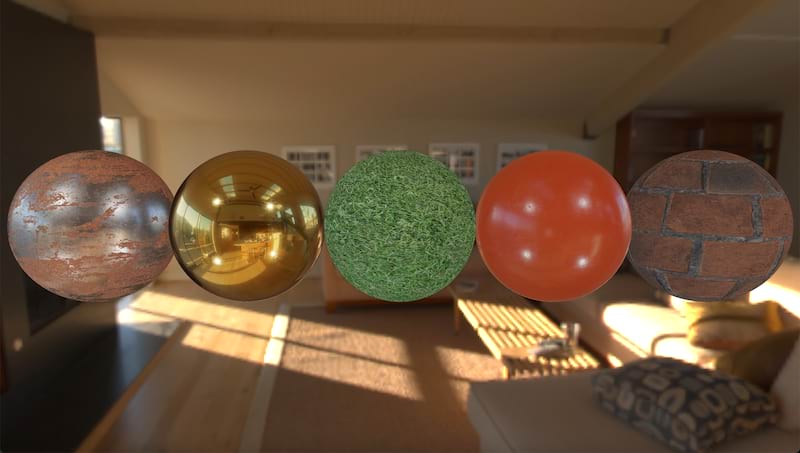
cargo run --example pbr
This example renders five spheres with PBRMaterial with four point lights and IBL. It tries to reproduce the pbr IBL scene from learnopengl.com.
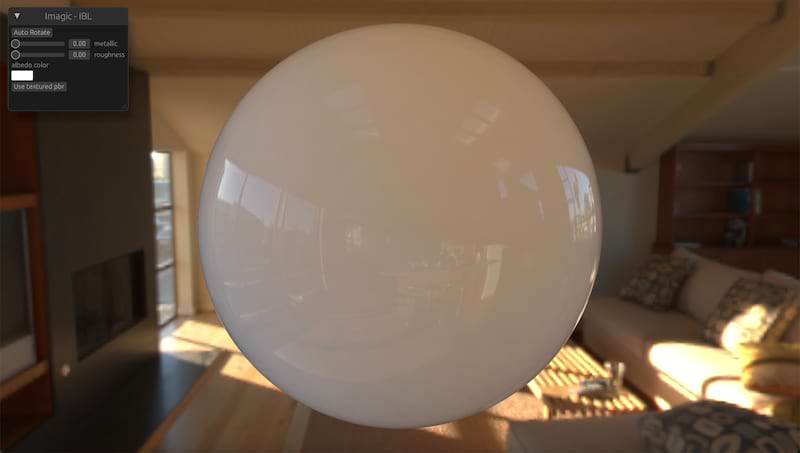
cargo run --example ibl
This example only renders IBL effects without direct lighting. And it supports some UI controls to adjust related PBR parameters.
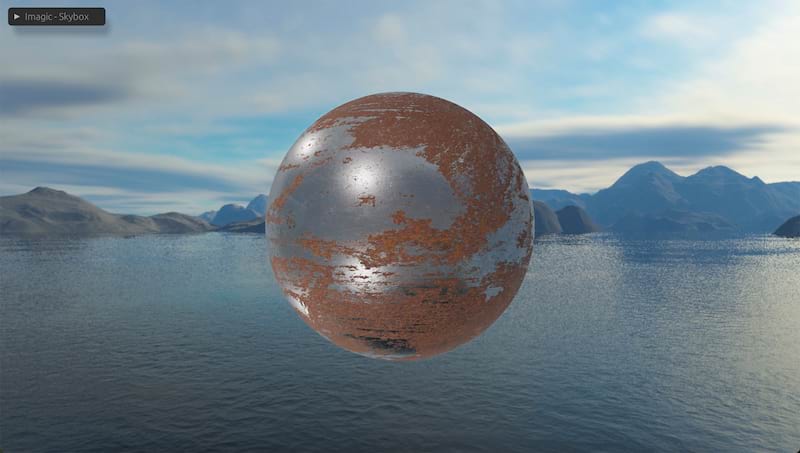
cargo run --example skybox
This example shows LDR skybox. And the sphere in the scene is affetctd by 4 point lights and IBL baked from the LDR skybox.
Other examples use HDR skybox.
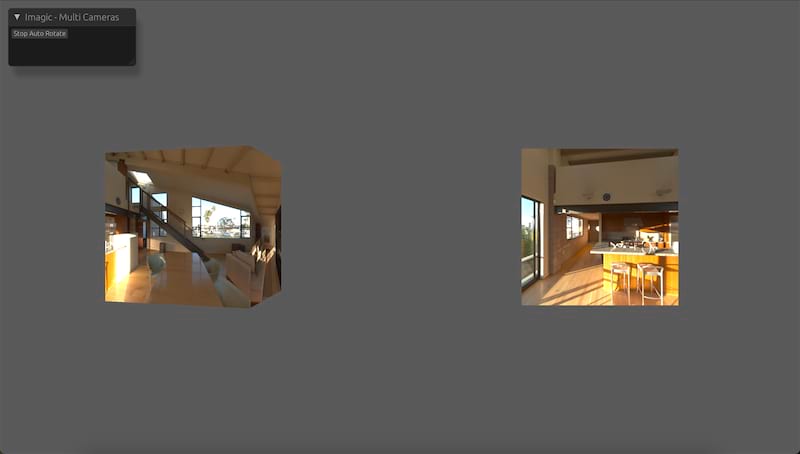
cargo run --example multi_camera
This example use two cameras with different viewports to render a box geometry. The left camera rotates automatically.
cargo run --example mipmaps
This example provides slider to change lod and show mipmaps of CubeTexture. This example also shows how to custom material. It provide a custom skybox material, which exposed lod parameter.
The name 'Imagic' comes from words 'image' and 'magic'. Initially, I intended to implement an image processing library accelerated with GPU. In fact, I previously created a repository named "imagetoy" locally also powered by Rust and WGPU. I believe Rust and WGPU can do more interesting things beyond just image processing, so I create 'imagic' which provides some basic infrastructures to help me and others deal with more complicated and imaginative things.
Usefull links:
Dependencies
~27–61MB
~1M SLoC