26 releases (11 breaking)
| 0.13.2 | Dec 28, 2024 |
|---|---|
| 0.13.0 | Oct 21, 2024 |
| 0.10.1 | Jul 28, 2024 |
| 0.8.2 | Feb 29, 2024 |
| 0.2.2 | May 3, 2023 |
#64 in Command-line interface
1,661 downloads per month
Used in 13 crates
3.5MB
1.5K
SLoC
A versatile widget list for Ratatui

This crate provides a stateful widget ListView implementation for Ratatui. The associated ListState, offers functionalities such as navigating to the next and previous items.
The list view support both horizontal and vertical scrolling.
Configuration
The ListView can be customized with the following options:
-
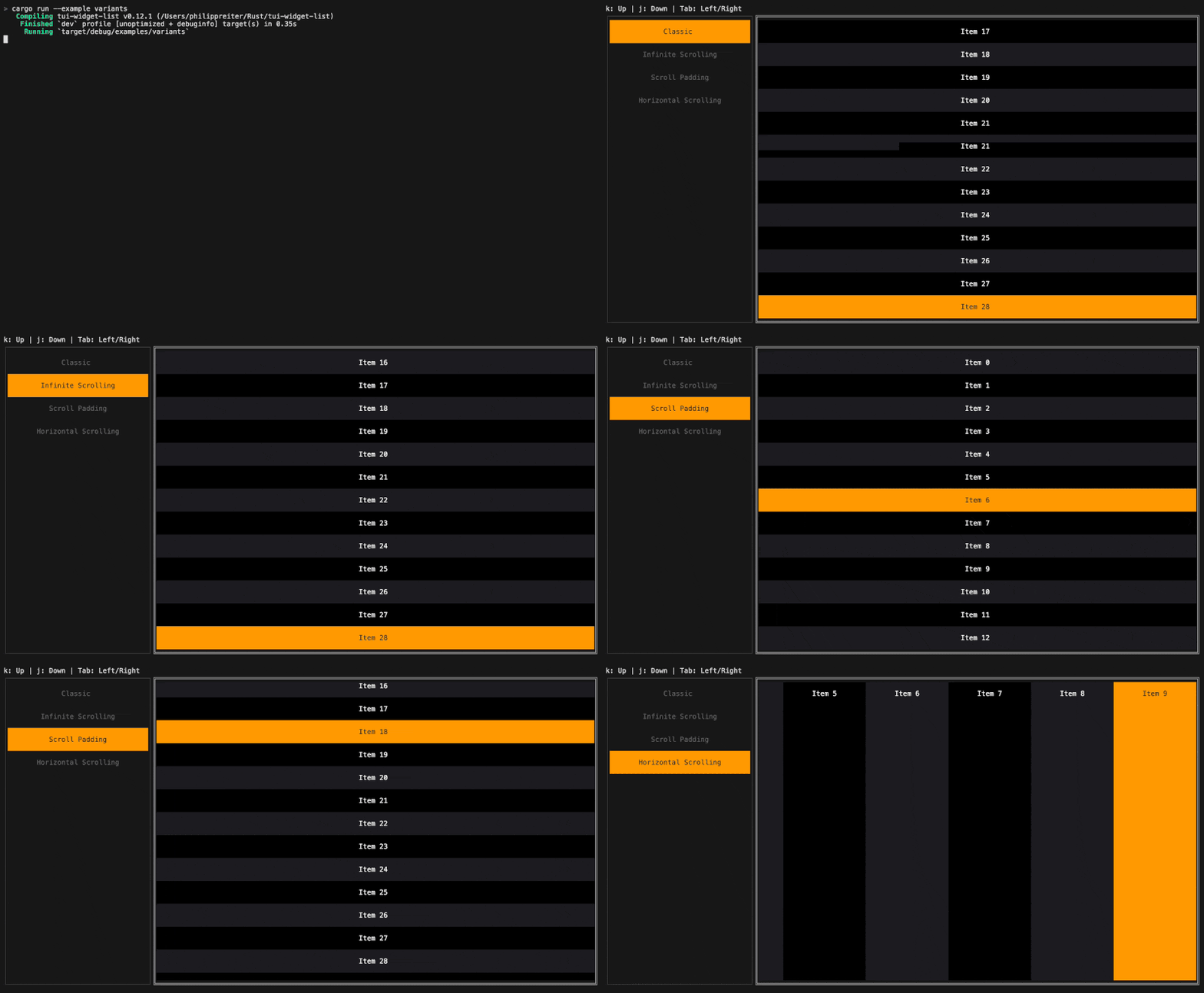
ListView::scroll_axis: Specifies whether the list is vertically or horizontally scrollable. -
ListView::scroll_padding: Specifies whether content should remain visible while scrolling, ensuring that a specified amount of padding is preserved above/below the selected item during scrolling. -
ListView::infinite_scrolling: Allows the list to wrap around when scrolling past the first or last element. -
ListView::style: Defines the base style of the list. -
ListView::block: Optional outer block surrounding the list.
Example
use ratatui::prelude::*;
use tui_widget_list::{ListBuilder, ListState, ListView};

#[derive(Debug, Clone)]
pub struct ListItem {
    text: String,
    style: Style,
}

impl ListItem {
    pub fn new<T: Into<String>>(text: T) -> Self {
        Self {
            text: text.into(),
            style: Style::default(),
        }
    }
}

impl Widget for ListItem {
    fn render(self, area: Rect, buf: &mut Buffer) {
        Line::from(self.text).style(self.style).render(area, buf);
    }
}

pub struct App {
    state: ListState,
}

impl Widget for &mut App {
    fn render(self, area: Rect, buf: &mut Buffer) {
        let builder = ListBuilder::new(|context| {
           let mut item = ListItem::new(&format!("Item {:0}", context.index));

           // Alternating styles
           if context.index % 2 == 0 {
               item.style = Style::default().bg(Color::Rgb(28, 28, 32));
           } else {
               item.style = Style::default().bg(Color::Rgb(0, 0, 0));
           }

           // Style the selected element
           if context.is_selected {
               item.style = Style::default()
                   .bg(Color::Rgb(255, 153, 0))
                   .fg(Color::Rgb(28, 28, 32));
           };

           // Return the size of the widget along the main axis.
           let main_axis_size = 1;

           (item, main_axis_size)
        });

        let item_count = 2;
        let list = ListView::new(builder, item_count);
        let state = &mut self.state;

        list.render(area, buf, state);
    }
}
For more examples see tui-widget-list.
Documentation
Demos
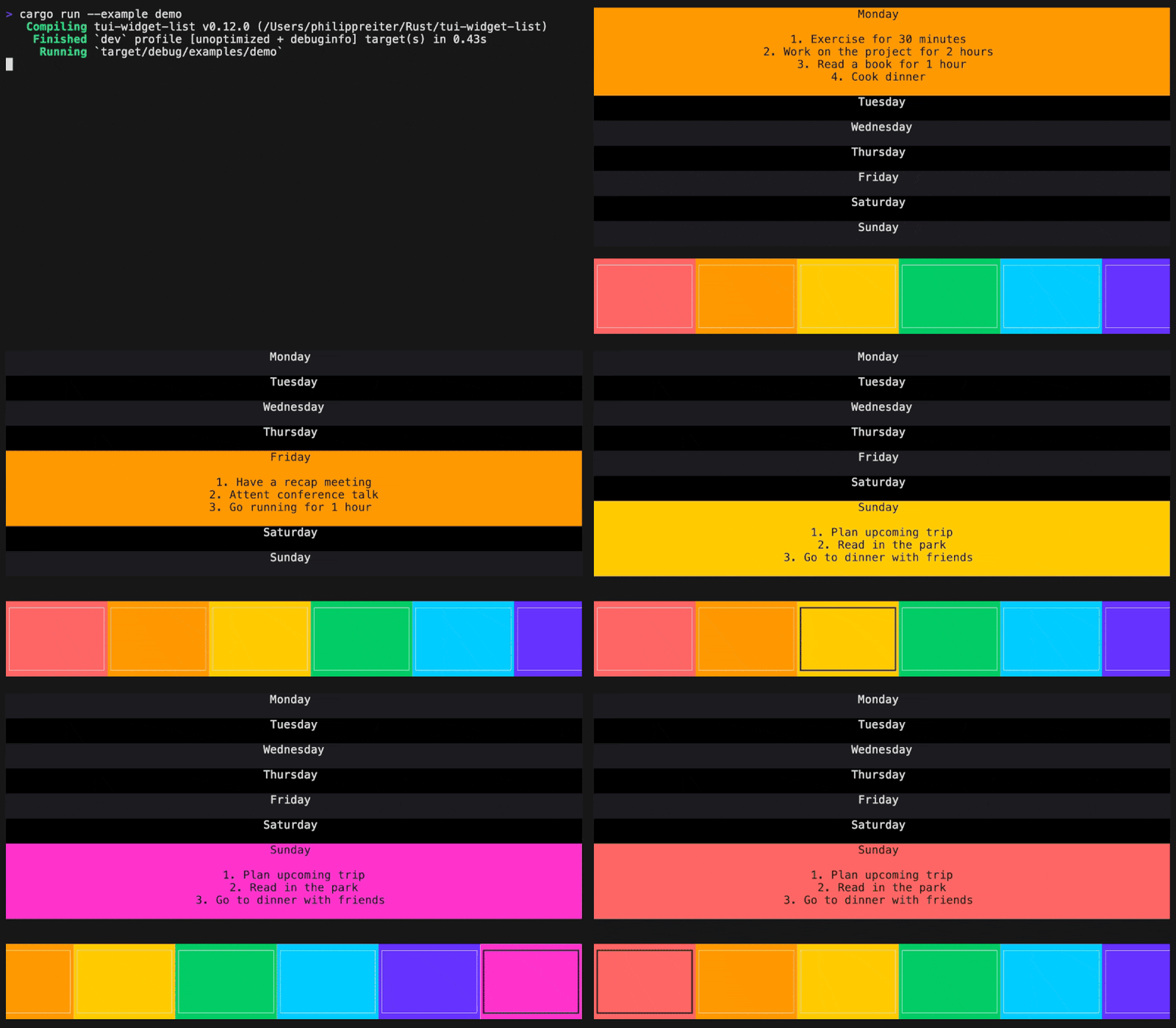
Demo
Infinite scrolling, scroll padding, horizontal scrolling
License: MIT
Dependencies
~7–16MB
~229K SLoC