22 releases
Uses new Rust 2024
| 0.2.1 | Mar 27, 2025 |
|---|---|
| 0.1.19 | Sep 14, 2024 |
| 0.1.14 | Jul 13, 2024 |
| 0.1.13 | Mar 20, 2024 |
| 0.1.3 | Nov 28, 2023 |
#32 in Geospatial
144 downloads per month
650KB
2.5K
SLoC
MapVas
A map canvas showing OSM tiles with drawing functionality. The repo contains two binaries,
- mapvas: the map window
- mapcat: an equivalent to cat to draw polygons on the map.
Setup
Make sure you have the nighly Rust toolchain installed.
Manually:
- Clone this repository.
cd mapvas ; cargo install --path . --locked
Via cargo from crates.io:
cargo install mapvas --locked
Via brew on MacOs:
brew tap udho/mapvas && brew install mapvas
Usage
mapvas
Start mapvas and a map window will appear.
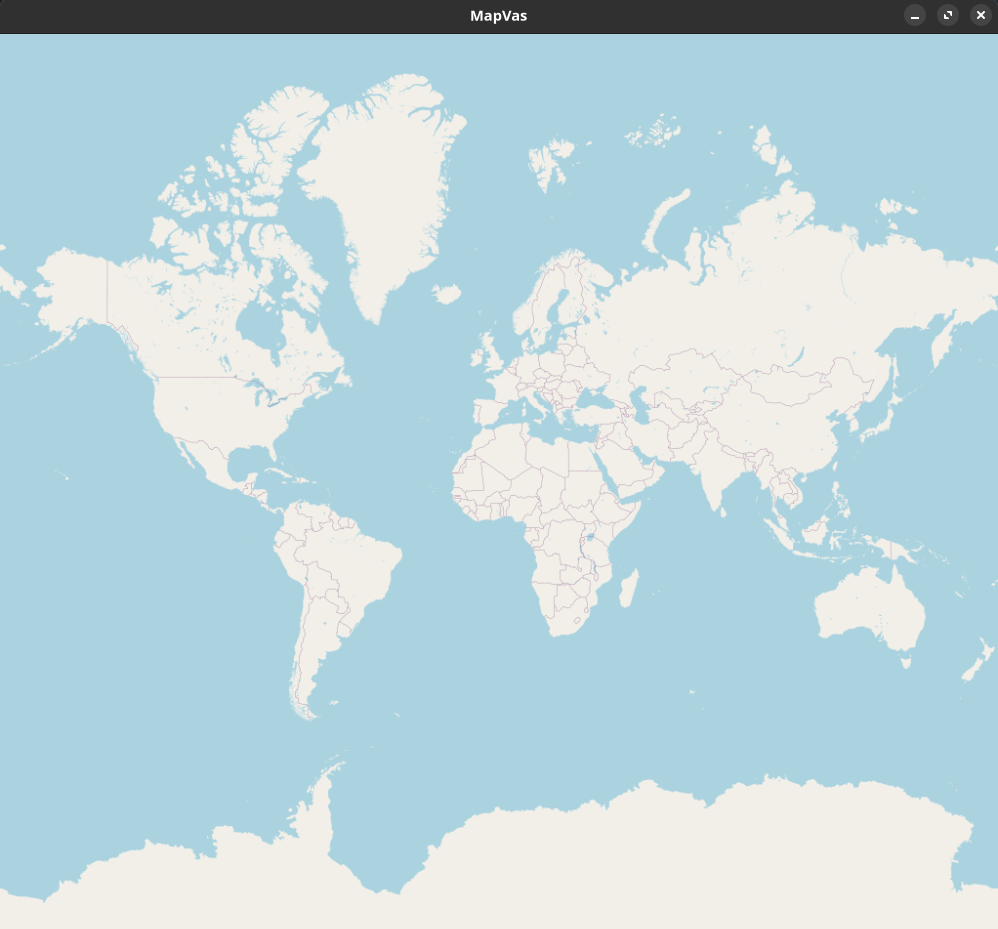
| Functionality | Description |
|---|---|
| zoom | Use the mouse wheel or +/- |
| focus to drawn elements | f centers the drawn elements |
| moving | Left mouse and dragging or arrow keys |
| paste | pressing v will paste the clipboard into the grep parser |
| pasting file data | dropping a file on the map will draw the contents on the map |
| information about element | right click near an element with label will show the label. L will use the current mouse position for poor mac users. |
| screenshot | the S key takes a screenshot of the currently displayed area |
| delete (Fn+delete on Mac) | clears the canvas |
mapcat
Mapcat currently reads only input from stdin and reads it line by line and pipes and uses it using various parser. It then shows the parsed result on a single instance of mapvas, which it spawns if none is running.
Grep (default)
This parser greps for coordinates latitude and longitude as float in a line. In addition it supports colors and filling of polygons.
The input can come from a pipe or from files.
mapcat <files_with_coordinates>
Examples:
- draws a point at Berlin Alexanderplatz:
echo "52.521853, 13.413015" | mapcat
- draws a line between Berlin and Cologne and a red line between Cologne and Amsterdam:
echo "50.942878, 6.957936 52.521853, 13.413015 green\n 50.942878, 6.957936 52.373520, 4.899766 red" | mapcat
- draws a yellow polyline Cologne-Berlin-Amsterdam:
echo "50.942878, 6.957936 random garbage words 52.521853, 13.413015 yellow spaces after the coordinate-comma is not important: 52.373520,4.899766" | mapcat
- draws a blue transparently filled polygon Cologne-Berlin-Amsterdam note that a fill ("transparent" or "solid"):
echo "50.942878, 6.957936 52.521853, 13.413015 52.373520,4.899766 blue transparent" | mapcat
Filling a polyline causes it to be drawn as closed polygon.
- drawing flexpolylines or google polylines
    echo BFoz5xJ67i1B1B7PzIhaxL7Y | mapcat
    echo '_p~iF~ps|U_ulLnnqC_mqNvxq@' | mapcat
- --invert-coordinates (-i) reverses the order of lat/lon:
echo "13.413015, 52.521853" | mapcat -i
- clears all elements from the map.
echo "clear" | mapcat
The -r parameter clears the map before drawing new elements.
echo "52.5,12.5" | mapcat -r
- --label-pattern (-l) defines a label pattern. A near label is shown when right click on the map happens. The label is copied (when shown) via the c key.
The label requires exactly one capture group to be in the pattern. Default is
"(.*)"which captures everything.
echo "52.4,12.4" | mapcat -l "(.*)"
-
--focus (-f) zooms and pans to show all elements on the map.
-
--screenshot <file.png>takes a screenshot of the map. If mapvas is not already running it should probably be combined with-f. If the path to the file is relative (or theSkey is used) the screenshot will be saved in the working directory unlessMAPVAS_SCREENSHOT_PATHis set.
Random (for performance testing)
Draws a random polyline of a given length. The following command draws a random walk consisting of 20000 polylines of a random length between 1 and 10.
echo "20000" | mapcat -p random
TTJson
Draws routes or ranges from the TomTom routing api.
curl 'https://api.tomtom.com/routing/1...' | mapcat -p ttjson -c green
Advanced usage
Offline usage
To cache tile images for future runs set the environment variable TILECACHE to an existing directory.
    mkdir ~/.tilecache
    export TILECACHE=~/.tilecache
Different map tile url
To use tiles from a different provider than [openstreetmap] you can set a templated url. The url must contain {zoom}, {x}, and {y}. The tile provider should return tiles in the pseudo/spherical-mercator projection in a size of 512x512 pixel. Examples:
    export MAPVAS_TILE_URL='https://tile.openstreetmap.org/{zoom}/{x}/{y}.png'
    export MAPVAS_TILE_URL='https://api.tomtom.com/map/1/tile/basic/main/{zoom}/{x}/{y}.png?tileSize=512&key=***'
    export MAPVAS_TILE_URL='https://maps.hereapi.com/v3/background/mc/{zoom}/{x}/{y}/png8?size=512&apiKey=***'
Dependencies
~35–76MB
~1.5M SLoC