4 releases (2 breaking)
| 0.4.0 | Nov 30, 2024 |
|---|---|
| 0.3.1 | Sep 24, 2024 |
| 0.3.0 | Sep 24, 2024 |
| 0.2.0 | Sep 19, 2024 |
#479 in Machine learning
Used in jutella-xmpp
75KB
1K
SLoC
jutella



Chatbot API client library and CLI interface. Currently supports OpenAI chat API, including OpenAI and Azure endpoints.
Command line interface
To get started with CLI, put your API key and endpoint into ~/.config/jutella.toml. See a config example.
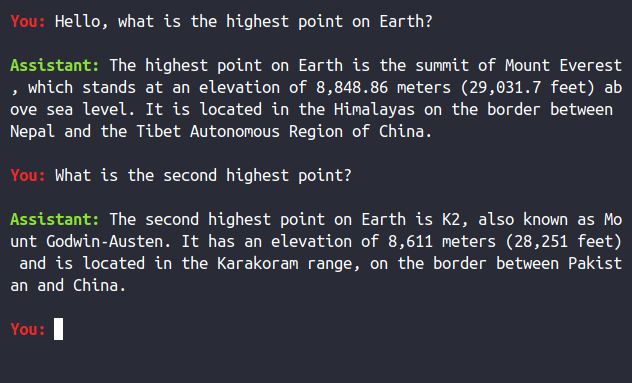
Invoking the CLI with jutella -x makes it copy every response to clipboard on X11.
Installation
- Install
cargofrom https://rustup.rs/. - Install the CLI from crates.io with
cargo install jutella. - Alternatively, clone the repo and build the CLI with
cargo build --release. The resulting executable will betarget/release/jutella.
Library
To use the chat API, initialize ChatClient with OPENAI_API_KEY and ChatClientConfig:
let mut chat = ChatClient::new(Auth::Token(api_key), ChatClientConfig::default())?;
Request replies via ChatClient::ask():
let answer = chat.ask("What is the highest point on Earth?".to_string()).await?;
println!("{answer}");
ChatClient keeps the conversation context and uses it with every ask() to generate the reply.
Dependencies
~18–35MB
~420K SLoC