13 releases
| 0.2.4 | Mar 10, 2025 |
|---|---|
| 0.2.3 | Feb 25, 2025 |
| 0.1.12 | Feb 15, 2025 |
#238 in Command-line interface
110KB
1K
SLoC
gflow - GPU Job Scheduler






gflow is an efficient tool for scheduling and managing GPU tasks, supporting task submission from the command line and running tasks in the background. Built in Rust, it provides a simple and easy-to-use interface for single-node or distributed GPU task scheduling.
Snapshot
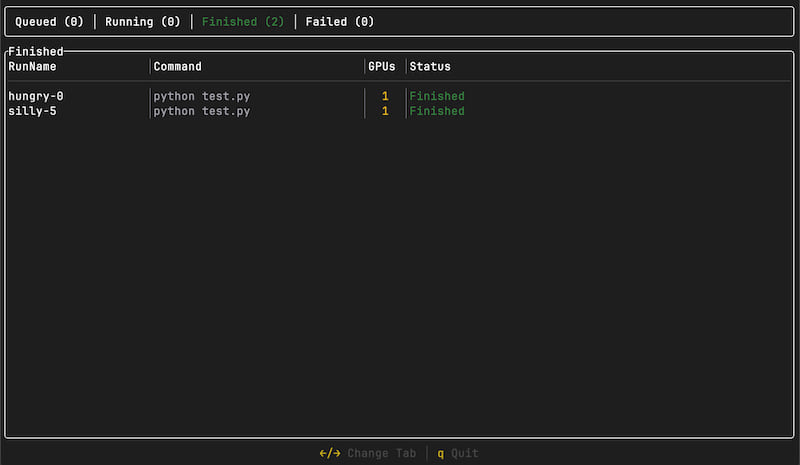
Key Features
- GPU Task Scheduling: Supports queuing, scheduling, and management of GPU tasks.
- Parallel Execution: Allows multiple GPU tasks to run simultaneously, maximizing GPU resource utilization.
- Command-Line Tool: Provides the CLI tool
gflowfor submitting tasks, andgflowdfor background task scheduling. - tmux Integration: Uses tmux to manage background tasks and track task execution status in real-time.
- TCP Submission: Submit tasks via a TCP service, making it easy to integrate with other systems.
Installation
Install via cargo (Recommended)
You can use cargo to compile and install gflow and gflowd:
cargo install gflow
Build Manually
-
Clone the repository:
git clone https://github.com/AndPuQing/gflow.git cd gflow -
Build the project using
cargo:cargo build --releaseThis will generate the
gflowandgflowdexecutables in thetarget/release/directory.
Usage
Start the Scheduler
Start the GPU task scheduler using gflow:
gflow up
Submit a Task
Submit scripts using the gflow CLI
Submit GPU tasks using the gflow command-line tool:
gflow submit test.sh --gpu 1 --conda-env myenv
--gpu: The number of GPUs to allocate for the task.--conda-env: The Conda environment to activate before running the task.
Submit commands using the gflow CLI
Submit GPU tasks using the gflow command-line tool:
gflow submit "python test.py" --gpu 1 --conda-env myenv
Task Scheduling Flow
- When submitting a task,
gflowsends a TCP request to the scheduler. - The
gflowdscheduler allocates tasks based on available GPU resources. - Background tasks are executed using
tmux, and the scheduler monitors task status in real-time. - The scheduler ensures each task is executed on suitable resources and allocates GPUs in priority order.
[!WARNING] The
gflowdoes not save task snapshots, meaning that if the associated files are deleted, the task will fail.
Configuration
gflow and gflowd provide several configuration options that you can adjust as needed:
- Configuration files: You can customize the scheduling behavior by modifying the
gflowdconfiguration file. - Environment variables: For example, set
GFLOW_LOG_LEVEL=debugto configure the logging level.
Contributing
If you find any bugs or have feature requests, feel free to create an Issue and contribute by submitting Pull Requests.
TODO
- Support GPU task scheduling in a multi-node environment.
- Add task prioritization and resource quota management.
- Improve task retry mechanism on failure.
- Implement task result feedback and log management.
License
gflow is licensed under the MIT License. See LICENSE for more details.
Dependencies
~25–42MB
~696K SLoC