11 releases
| 0.3.1 | Feb 9, 2025 |
|---|---|
| 0.3.0 | Feb 9, 2025 |
| 0.2.3 | Jan 23, 2025 |
| 0.1.4 | Dec 29, 2024 |
#158 in GUI
360 downloads per month
Used in cantara
3MB
1.5K
SLoC
Dioxus Motion 🚀



A lightweight, cross-platform animation library for Dioxus, designed to bring smooth, flexible animations to your Rust web, desktop, and mobile applications.
🎯 Live Examples
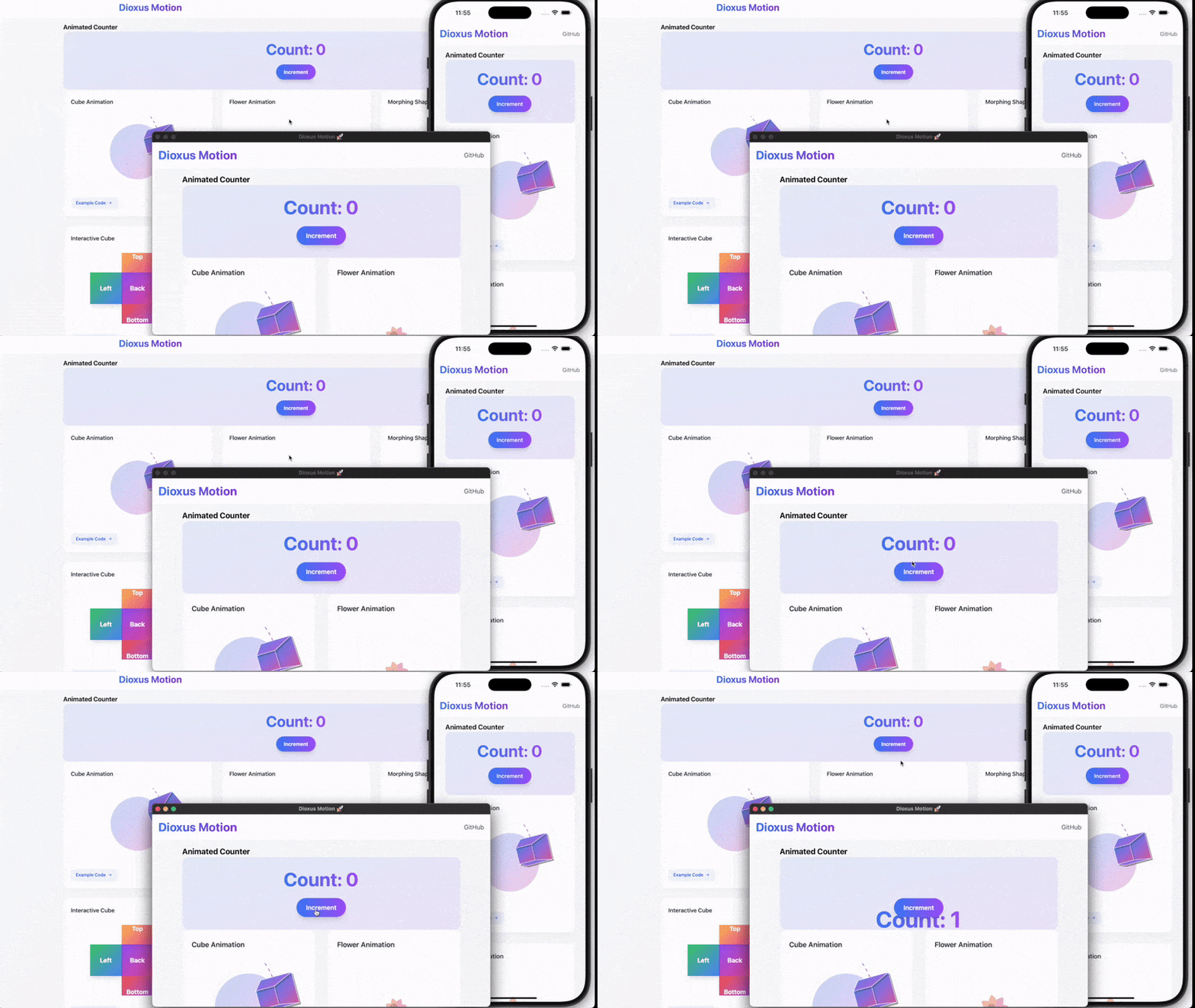
Visit our Example Website to see these animations in action:
🚀 Page Transitions
use dioxus_motion::prelude::*;

#[derive(Routable, Clone, Debug, PartialEq, MotionTransitions )]
#[rustfmt::skip]
enum Route {
    #[layout(NavBar)]
        #[route("/")]
        #[transition(Fade)]
        Home {},
        #[route("/slide-left")]
        #[transition(ZoomIn)]
        SlideLeft {},
        #[route("/slide-right")]
        SlideRight {},
        #[route("/slide-up")]
        SlideUp {},
        #[route("/slide-down")]
        SlideDown {},
        #[route("/fade")]
        Fade {},
    #[end_layout]
    #[route("/:..route")]
    PageNotFound { route: Vec<String> },
}
And replace all your Outlet::<Route> {} with AnimatedOutlet::<Route> {} and place the layout containing OutletRouter on top with something like this
#[component]
fn NavBar() -> Element {
    rsx! {
        nav { id: "navbar take it",
            Link { to: Route::Home {}, "Home" }
            Link { to: Route::SlideLeft {}, "Blog" }
        }
        AnimatedOutlet::<Route> {}
    }
}
Each route can have its own transition effect:
Fade: Smooth opacity transitionZoomIn: Scale and fade combinationSlideLeft: Horizontal slide animation- And more!
- Also, add transitions feature to support page transitions. Example which was translated from router example of Dioxus. More detailed guide will be updated soon.
⚠️ Caution
Nested router is not fully tested. Test and fix is planned for a future release.
Quick Value Animation Example
use dioxus_motion::prelude::*;

#[component]
fn PulseEffect() -> Element {
    let scale = use_motion(1.0f32);

    use_effect(move || {
        scale.animate_to(
            1.2,
            AnimationConfig::new(AnimationMode::Spring(Spring {
                stiffness: 100.0,
                damping: 5.0,
                mass: 0.5,
                velocity: 1.0
            }))
            .with_loop(LoopMode::Infinite)
        );
    });

    rsx! {
        div {
            class: "w-20 h-20 bg-blue-500 rounded-full",
            style: "transform: scale({scale.get_value()})"
        }
    }
}
Animation Sequences Example
Chain multiple animations together with different configurations:
let scale = use_motion(1.0f32);

// Create a bouncy sequence
let sequence = AnimationSequence::new()
    .then(
        1.2, // Scale up
        AnimationConfig::new(AnimationMode::Spring(Spring {
            stiffness: 400.0,
            damping: 10.0,
            mass: 1.0,
            velocity: 5.0,
        }))
    )
    .then(
        0.8, // Scale down
        AnimationConfig::new(AnimationMode::Spring(Spring {
            stiffness: 300.0,
            damping: 15.0,
            mass: 1.0,
            velocity: -2.0,
        }))
    )
    .then(
        1.0, // Return to original
        AnimationConfig::new(AnimationMode::Spring(Spring::default()))
    );

// Start the sequence
scale.animate_sequence(sequence);
// Each step in the sequence can have its own timing, easing, and spring physics configuration. Sequences can also be looped or chained with other animations.
✨ Features
- Cross-Platform Support: Works on web, desktop, and mobile
- Flexible Animation Configuration
- Custom Easing Functions
- Modular Feature Setup
- Simple, Intuitive API
- Page Transitions
🛠 Installation
Add to your Cargo.toml:
[dependencies]
dioxus-motion = { version = "0.3.0", optional = true, default-features = false }

[features]
default = ["web"]
web = ["dioxus/web", "dioxus-motion/web"]
desktop = ["dioxus/desktop", "dioxus-motion/desktop"]
mobile = ["dioxus/mobile", "dioxus-motion/desktop"]
If you want to use page transiton dependency will look like,
[dependencies]
dioxus-motion = { version = "0.3.0", optional = true, default-features = false }

[features]
default = ["web"]
web = ["dioxus/web", "dioxus-motion/web", "dioxus-motion/transitions"]
desktop = [
    "dioxus/desktop",
    "dioxus-motion/desktop",
    "dioxus-motion/transitions",
]
mobile = ["dioxus/mobile", "dioxus-motion/desktop", "dioxus-motion/transitions"]
🌐 Platform Support
Choose the right feature for your platform:
web: For web applications using WASMdesktop: For desktop and mobile applicationsdefault: Web support (if no feature specified)
🚀 Quick Start
🔄 Migration Guide (v0.3.0)
- No breaking changes to the existing APIs. Just minor exports might change so just import prelude::* if anything breaks on import
use dioxus_motion::prelude::*;
🔄 Migration Guide (v0.2.0)
Breaking Changes
- Combined
use_value_animationanduse_transform_animationintouse_motion - New animation configuration API
- Updated spring physics parameters
- Changed transform property names
New Animation API
use dioxus_motion::prelude::*;

// Before (v0.1.x)
let mut motion = use_value_animation(Motion::new(0.0).to(100.0));

// After (v0.2.x)
let mut value = use_motion(0.0f32);
value.animate_to(
    100.0,
    AnimationConfig::new(AnimationMode::Tween(Tween {
        duration: Duration::from_secs(2),
        easing: easer::functions::Linear::ease_in_out,
    }))
);

// Before (v0.1.x)
let mut transform = use_transform_animation(Transform::default());

// After (v0.2.x)
let mut transform = use_motion(Transform::default());
transform.animate_to(
    Transform::new(100.0, 0.0, 1.2, 45.0),
    AnimationConfig::new(AnimationMode::Spring(Spring {
        stiffness: 100.0,
        damping: 10.0,
        mass: 1.0,
        ..Default::default()
    }))
);
If you were using transform.get_style(), that function is removed to make the library more generic so i recommend building something like
    let transform = use_motion(Transform::default());

    let transform_style = use_memo(move || {
        format!(
            "transform: translate({}px, {}px) scale({}) rotate({}deg);",
            transform.get_value().x,
            transform.get_value().y,
            transform.get_value().scale,
            transform.get_value().rotation * 180.0 / std::f32::consts::PI
        )
    });

    // and using the memo in the component
      rsx! {
        div {
            class: "...",
            style: "{transform_style.read()}",
            // ...rest of component...
        }
    }
🆕 New Features
Loop Modes
.with_loop(LoopMode::Infinite)
.with_loop(LoopMode::Times(3))
Animation Delays
.with_delay(Duration::from_secs(1))
On Complete
.with_on_complete(|| println!("Animation complete!"))
🎓 Advanced Guide: Extending Animations
Implementing the Animatable Trait
The Animatable trait allows you to animate any custom type.
Defination of Animatable Trait
pub trait Animatable: Copy + 'static {
    fn zero() -> Self;
    fn epsilon() -> f32;
    fn magnitude(&self) -> f32;
    fn scale(&self, factor: f32) -> Self;
    fn add(&self, other: &Self) -> Self;
    fn sub(&self, other: &Self) -> Self;
    fn interpolate(&self, target: &Self, t: f32) -> Self;
}
Here's how to implement it:
Custom Position Type
#[derive(Debug, Copy, Clone)]
struct Position {
    x: f32,
    y: f32,
}

impl Animatable for Position {
    fn zero() -> Self {
        Position { x: 0.0, y: 0.0 }
    }

    fn epsilon() -> f32 {
        0.001
    }

    fn magnitude(&self) -> f32 {
        (self.x * self.x + self.y * self.y).sqrt()
    }

    fn scale(&self, factor: f32) -> Self {
        Position {
            x: self.x * factor,
            y: self.y * factor,
        }
    }

    fn add(&self, other: &Self) -> Self {
        Position {
            x: self.x + other.x,
            y: self.y + other.y,
        }
    }

    fn sub(&self, other: &Self) -> Self {
        Position {
            x: self.x - other.x,
            y: self.y - other.y,
        }
    }

    fn interpolate(&self, target: &Self, t: f32) -> Self {
        Position {
            x: self.x + (target.x - self.x) * t,
            y: self.y + (target.y - self.y) * t,
        }
    }
}
Best Practices
- Zero State: Implement zero() as your type's neutral state
- Epsilon: Choose a small value (~0.001) for animation completion checks
- Magnitude: Return the square root of sum of squares for vector types
- Scale: Multiply all components by the factor
- Add/Sub: Implement component-wise addition/subtraction
- Interpolate: Use linear interpolation for smooth transitions
Common Patterns
Circular Values (e.g., angles)
fn interpolate(&self, target: &Self, t: f32) -> Self {
    let mut diff = target.angle - self.angle;
    // Ensure shortest path
    if diff > PI { diff -= 2.0 * PI; }
    if diff < -PI { diff += 2.0 * PI; }
    Self { angle: self.angle + diff * t }
}
Normalized Values (e.g., colors)
fn scale(&self, factor: f32) -> Self {
    Self {
        value: (self.value * factor).clamp(0.0, 1.0)
    }
}
🌈 Supported Easing Functions
Leverages the easer crate, supporting:
- Linear
- Quadratic
- Cubic
- Quartic
- And more!
🤝 Contributing
- Fork the repository
- Create your feature branch
- Commit changes
- Push to the branch
- Create a Pull Request
📄 License
MIT License
🐞 Reporting Issues
Please report issues on the GitHub repository with:
- Detailed description
- Minimal reproducible example
- Platform and feature configuration used
🌟 Motivation
Bringing elegant, performant motion animations to Rust's web and desktop ecosystems with minimal complexity.
Dependencies
~7–17MB
~218K SLoC