11 releases
| 0.3.1 | Jul 6, 2025 |
|---|---|
| 0.2.0 | Jul 6, 2025 |
| 0.1.7 | Dec 21, 2023 |
| 0.1.6 | Oct 3, 2023 |
| 0.1.2 | Mar 4, 2023 |
#35 in Security
550KB
296 lines
DMG Cracker
CLI for performing dictionary attacks on encrypted Apple Disk Image files (.dmg)
While this tool offers a solution for accessing encrypted disk images, it is important to note that it is intended for personal use only and should not be used for illegal purposes. The author assumes no responsibility for any misuse of the tool and it is the responsibility of the user to comply with all applicable laws and regulations.
Installation
cargo install dmg-cracker
Usage
Basic Usage
dmg-cracker -p <password-list.txt> -d <encrypted-file.dmg> -t <thread-count>
Required Arguments:
-p, --password-list-path: Path to a password list file (.txt or .csv format)-d, --dmg-path: Path to the encrypted DMG file
Optional Arguments:
-t, --thread-count: Number of threads to use (defaults to number of logical CPU cores)-r, --randomize: Randomize password order to avoid predictable patterns
Creating a Password List
Text File Format (.txt): Create a text file with one password per line:
# Example: passwords.txt
password
123456
qwerty
letmein
admin
password123
welcome
CSV Format (.csv): Create a CSV file with passwords in the first column:
# Example: passwords.csv
password1,common
123456,weak
qwerty,keyboard
letmein,simple
admin,default
password123,variation
welcome,greeting
The tool automatically detects file format based on extension and uses only the first column for CSV files.
You can use existing wordlists like:
- SecLists - Comprehensive password lists
- rockyou.txt - Popular password dictionary
Examples
Using text file:
# Create a simple password list
echo -e "password\n123456\nletmein\npassword123" > passwords.txt
# Run the cracker
dmg-cracker -p passwords.txt -d encrypted.dmg -t 4
Using CSV file:
# Create a CSV password list
echo -e "password,type\n123456,weak\nletmein,simple\npassword123,variation" > passwords.csv
# Run the cracker
dmg-cracker -p passwords.csv -d encrypted.dmg -t 4
Using randomized order:
# Randomize password order to avoid predictable patterns
dmg-cracker -p passwords.txt -d encrypted.dmg -t 4 --randomize
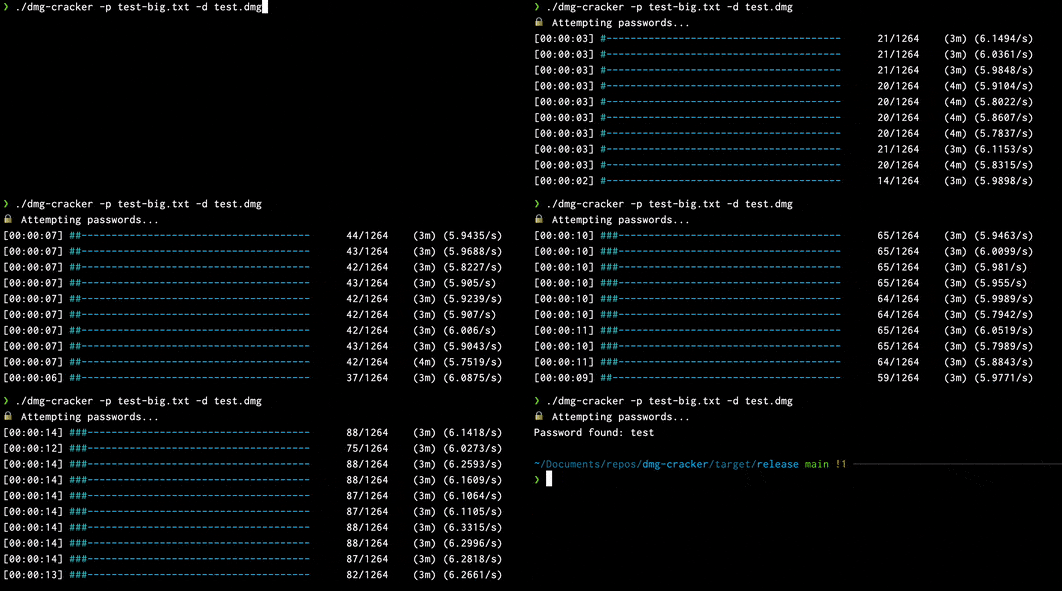
The tool will display progress bars for each thread and stop when the correct password is found.
Troubleshooting
Permission Denied Error
If you encounter "Operation not permitted" errors:
# Grant Full Disk Access to Terminal app:
# 1. Open System Preferences → Security & Privacy → Privacy
# 2. Select "Full Disk Access" from the left sidebar
# 3. Click the lock icon and enter your password
# 4. Click "+" and add Terminal (or your terminal app)
# 5. Restart your terminal
# Alternative: Run with elevated privileges (not recommended)
sudo dmg-cracker -p passwords.txt -d encrypted.dmg -t 4
Common Issues
- "hdiutil command not found": You're not running on macOS
- "No such file or directory": Check DMG and password file paths
- "Empty password list": Ensure password file has content and correct format
Upcoming features
- investigate implementing AES decrpytion manually. Current road block being a method of extracting the key generation salt from the dmg file headers
- support for testing different permutations of a given password list
- increase test coverage
Testing / Contributing
Any contributions or issue raising is welcomed. If you wish to contribute then:
- fork/clone this repo
- make changes on a branch taken from main
- submit a pull request against main
Pull requests will be blocked from merging automatically if:
- there are failing tests
- linting rules have been violated.
Updating package
- bump version number in
cargo.tomlandcargo.lock - commit version bump
- create new release on github
cargo publish
Dependencies
~6.5–9.5MB
~161K SLoC


