13 releases
Uses new Rust 2024
| 0.6.1 | Apr 12, 2025 |
|---|---|
| 0.6.0 | Jan 5, 2025 |
| 0.5.7 | Dec 26, 2024 |
| 0.5.4 | Sep 1, 2024 |
| 0.1.4 | Nov 10, 2022 |
#509 in Command line utilities
24 downloads per month
18KB
398 lines
🌠 conceal 🌃


Introduction
conceal is a command line tool based on trash-rs which implements The FreeDesktop.org Trash specification.
You can use conceal to:
- Throw the files in the recycle bin
- List all the discarded files
- Restore files discarded under the current directory
- Delete discarded files permanently
- Clean all the discarded files permanently
Finder
conceal restore and conceal delete use skim and fzf (default) as finder.
You can choose either one with the --finder option whose value is also controlled by environment variable CONCEAL_FINDER.
Value priority:
--finder>CONCEAL_FINDER
Finder options
conceal predefines some options of finder command to make an ergonomic interface:
--multi --ansi --reverse --cycle --bind='ctrl-a:select-all,ctrl-r:toggle-all'.
You can add more options you like via environment variable FZF_DEFAULT_COMMAND.
fzf options reference:
man 1 fzf
Key bindings:
| Key | Action |
|---|---|
ctrl-a |
Select all items |
ctrl-r |
Inverse selection of all items |
Installation
Cargo
You need to install finder skim or fzf before using conceal.
$ cargo install conceal
AUR
$ paru -S conceal
or binary package:
$ paru -S conceal-bin
Usage
There are two binaries: cnc and conceal.
cnc is to put files into recycle bin; conceal is to operate the recycle bin.
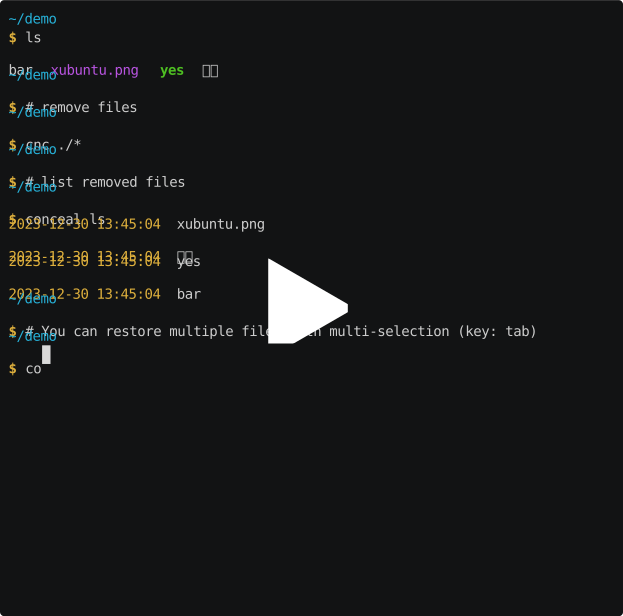
Tab is the multi-selection and multi-cancel key.
Dependencies
~2–28MB
~381K SLoC